Adelaide ecommerce theme - Displaying blog articles on your home page
From Spiffy Stores Knowledge Base
-
 Displaying blog articles on your home page

The Adelaide theme allows you to display your three most recent blog posts on your home page. If you don't have 3 blog posts, or you have blog posts that don't have images in them, you should not enable this feature.
Select the blog you'd like to display in the Design & assets -> Theme editor section of your store's Toolbox. This can be found in the Home Page - Sections section.
Selecting your blog
-
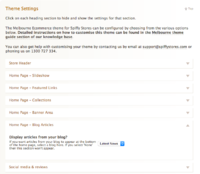 Selecting the blog to feature on your home page.

Select your blog in the Design & assets -> Theme editor section of your store's Toolbox. Scroll down on this page until you find the section called Home Page - Sections.
You will find a few options...
- Display the blog area? - You can turn the blog section on or off here
- Blog to display? - A list of the blogs you have in your store if displayed here. Select the blog you'd like to display, scroll down and click the Save Settings button.
NOTE: If your blog doesn't have 3 blog posts, or you have blog posts that don't have images in them, you should disable this feature by selecting None.
- Blog title - The title that appears above the article on your home page. Leave blank if you don't want to display a blog.