Importing a Shopify store
From Spiffy Stores Knowledge Base
From the Home screen on your PayPal account, find the PayPal Checkout quick link. Alternatively, it's available from the Pay & get paid menu, under the Accept payments section.
-
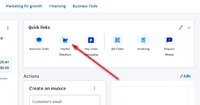 Add PayPal Checkout

- 1. Click on the PayPal Checkout button or menu link.
-
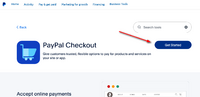 PayPal Checkout Get Started

- 2. You'll be directed to an information page about PayPal Checkout. Once you're ready to continue, click the Get Started button.
-
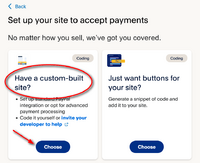 Choose Custom-Built Site

-
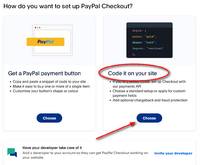 Code it on your site
