Adelaide ecommerce theme - Adding an announcement bar
From Spiffy Stores Knowledge Base
Setting up the Announcement Bar
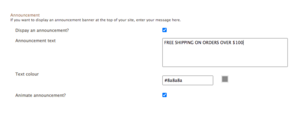
Setting up the Announcement Bar

With version 1.x of the theme, we have added an announcement bar at the top of the store. This also has a close button so your customers can hide the announcement bar in the storefront. This creates a cookie that keeps the announcement bar hidden for 24 hours. If you close the announcement bar and want to preview it, you'll need to either clear the cookies in your browser, or delete the cookie called "SpiffyAnnouncementBar".